
PodTube - Audio Only for YouTube™
Reduce distractions. Save bandwidth. Just listen.

Features
Simple tools to help you focus on what matters — the audio.
Blur Mode
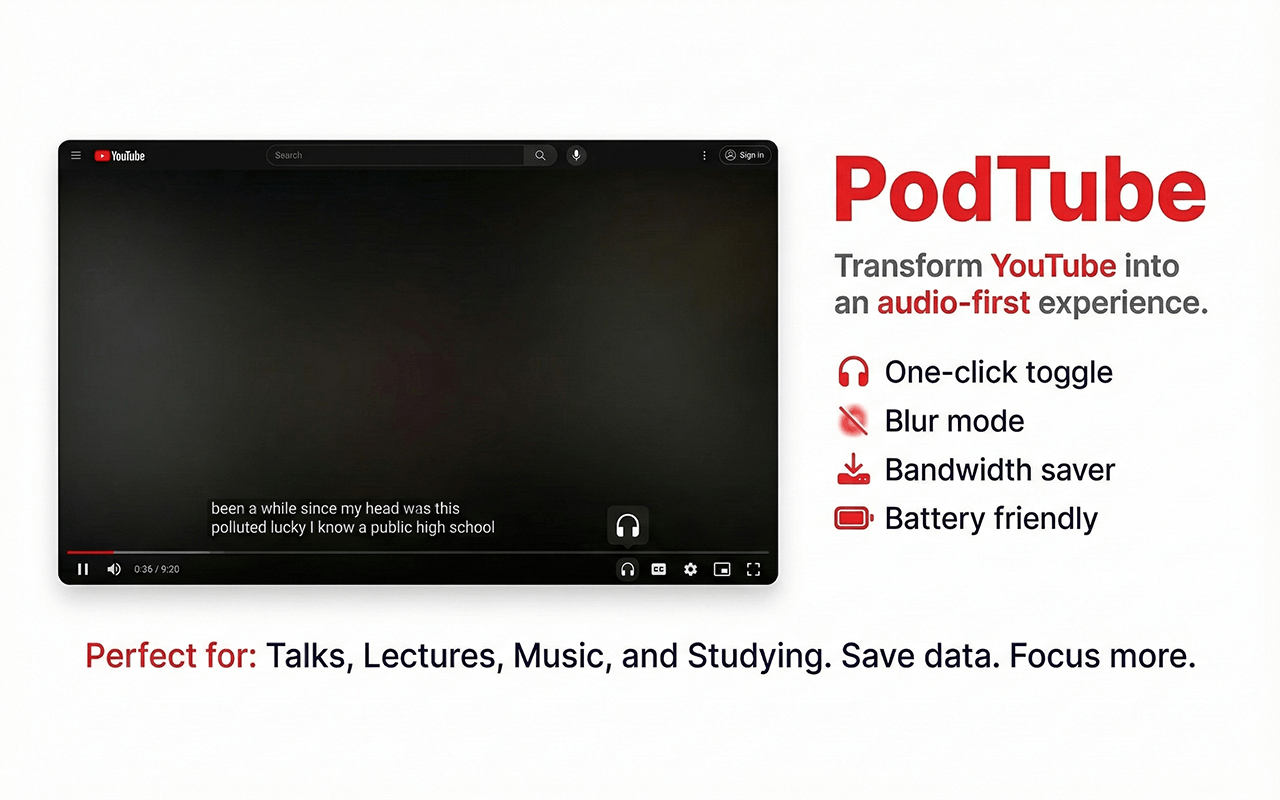
Blurs the video so you can focus on the audio without visual distractions.
Bandwidth Saver
Automatically sets video quality to lowest when blur is active.
Works Everywhere
Handles YouTube's SPA navigation — no refresh needed.
Speed Control
Adjust playback speed from 0.25x to 2x with a slider or quick presets.
Keyboard Shortcuts
Press Shift+A to toggle audio mode. Use > and < for speed.
How It Works
Get started in seconds.
1
Install the Extension
Add to Chrome with one click — no account needed.
2
Open Any YouTube Video
The extension activates automatically on youtube.com.
3
Toggle Audio Mode
Click the headphones icon or press Shift+A to blur video and save bandwidth.
See It In Action
Blur the video. Keep the controls.
What People Say
Join thousands of users who focus better with Audio-only.
"
"Finally I can listen to podcasts on YouTube without the distraction."
AK— Alex K.
"
"Saves my mobile data when I'm just listening to music."
JM— Jordan M.
"
"Simple, does exactly what it says. Love it."
ST— Sam T.
Frequently Asked Questions
Got questions? We've got answers.
Ready to focus?
Join thousands of users and experience YouTube without the distractions.